Your Razer mouse, without Synapse
One 1 MB program writes DPI, polling rate and buttons into the mouse’s own memory. Verified on the Viper V3 Pro; other Razer mice join one probe at a time.
For Windows 10 and 11. 1.1 MB, no installer, no account. SHA-256 checksum. The file is not code-signed, so Windows asks once on first run: choose “More info”, then “Run anyway”.
Razer Synapse 4 and freenapse, measured on one PC
Side by side on the machine freenapse was written on, with the same Viper V3 Pro on its HyperPolling dongle.
| What | Razer Synapse 4 | freenapse |
|---|---|---|
| Processes | 11 Electron processes and 2 services | 1 tray process, or none when you run the CLI once |
| Memory | about 1.5 GB | 10 MB working set |
| CPU in the background | polls the device and runs game detection constantly | idle, one battery read a minute |
| On disk | 220 MB runtime plus modules downloaded per product | one file of 1.1 MB |
| Account and internet | required | none |
DPI, polling rate and buttons, stored in the mouse
Every setting goes to the mouse’s onboard memory, so it survives a reboot and follows the mouse to a PC with nothing installed. How to set them.
- DPI
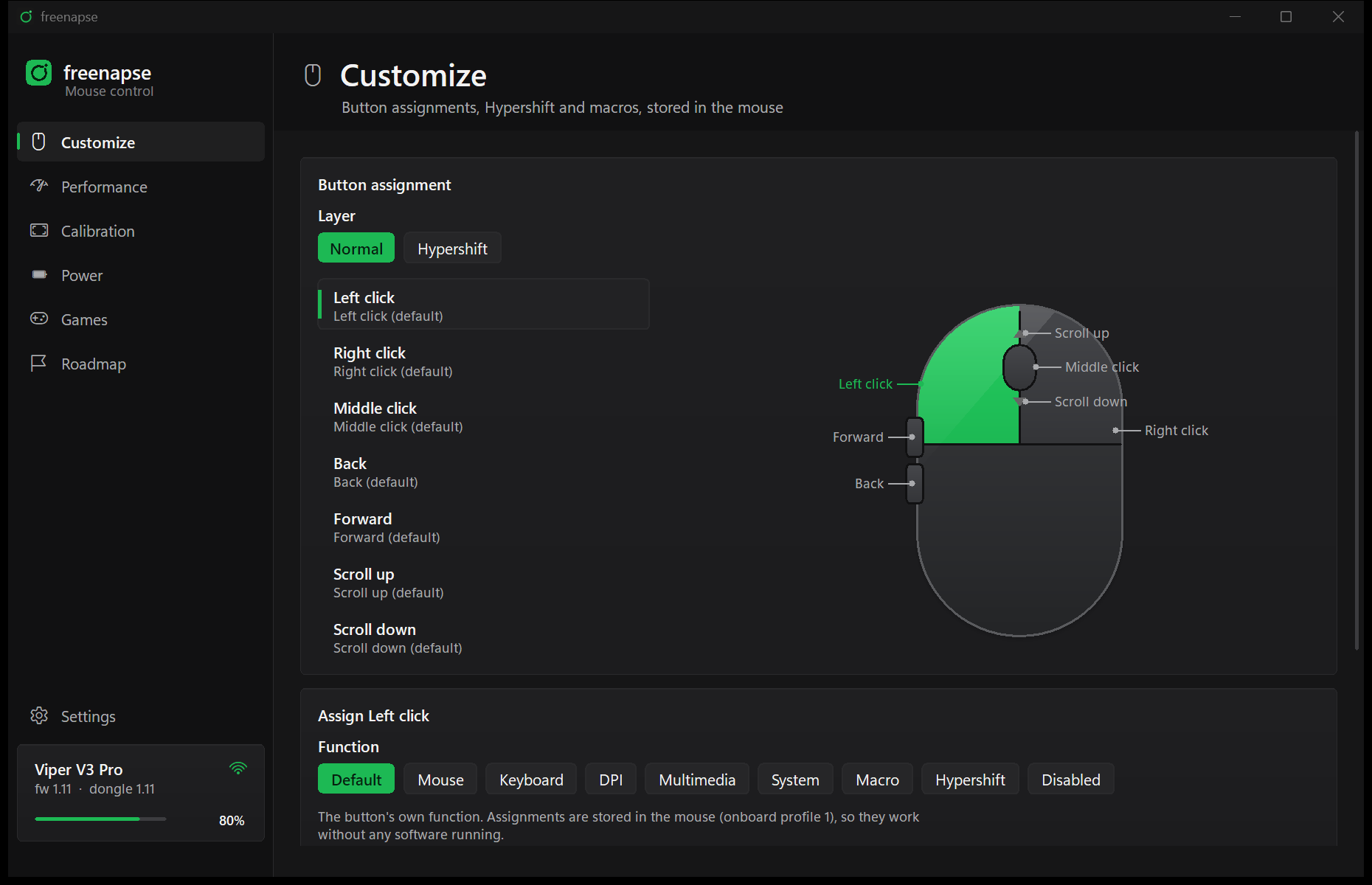
- Up to 5 stages, independent X and Y, 100 to 35000 in steps of 1, and the stage the mouse starts on.
- Polling rate
- 125 to 8000 Hz. 4000 and 8000 need the HyperPolling dongle; the tray app can raise the rate only while a game runs.
- Buttons
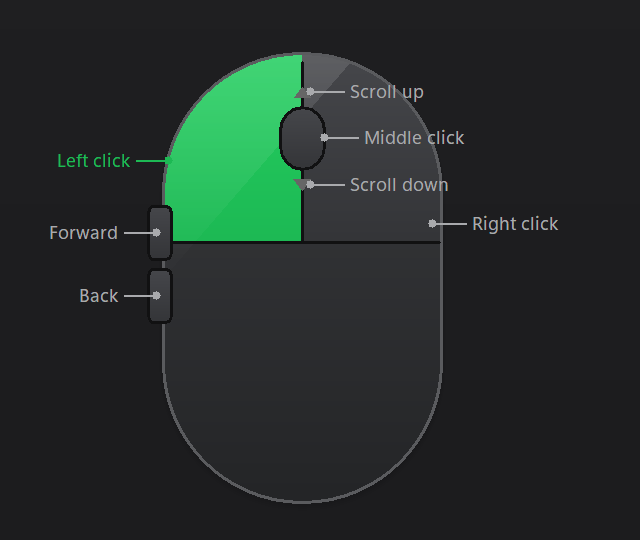
- All seven on the normal and Hypershift layers: mouse functions, keys with modifiers, media keys, DPI stage and cycle, Turbo, macros, disabled. Program and Text buttons are played by the tray app, below.
- Dynamic Sensitivity
- The onboard acceleration curve: Classic, Natural, Jump, or the points you drag yourself.
- Sensor
- Smart Tracking at 1, 2 or 3 mm, or the asymmetric cut-off with lift-off and landing levels, plus angle correction.
- Power and dongle
- Idle sleep timeout, low power mode threshold, the dongle’s indicator LED, pairing.
Written to the mouse as you change them
There is no apply button. Each control writes its setting to the mouse the moment it changes and reads it back.
Which Razer mice, and how far each one goes
freenapse was written on a Viper V3 Pro and writes to it without asking. Every other Razer mouse opens and is read, and is written to only once an owner has tested it. This table is the program’s own device list.
| Mouse | Product id | Polling | DPI up to | Status |
|---|---|---|---|---|
| Viper V3 Pro, wired | 0x00C0 | classic: 125, 500, 1000 Hz | 35000 | Verified, the author’s mouse |
| Viper V3 Pro, HyperSpeed or HyperPolling dongle | 0x00C1 | HyperPolling: 125 to 8000 Hz, dongle pairing and LED | 35000 | Verified, the author’s mouse |
| DeathAdder V3 Pro, wired | 0x00B6 | classic: 125, 500, 1000 Hz | 30000 | Experimental: DPI, polling, idle, low battery, buttons and Smart Tracking read back by an owner. No Dynamic Sensitivity or rotation. Writes need allow_unverified |
| DeathAdder V3 Pro, wireless | 0x00B7 | classic: 125, 500, 1000 Hz | 35000 | Read-only, waiting for an owner |
| DeathAdder V4 Pro, wired or wireless | 0x00BE, 0x00BF | HyperPolling: 125 to 8000 Hz, pairing on the wireless id | 45000 | Read-only, waiting for an owner |
| DeathAdder V3, wired 8K | 0x00B2 | HyperPolling: 125 to 8000 Hz | 30000 | Read-only, waiting for an owner |
| Viper V2 Pro, wired or wireless | 0x00A5, 0x00A6 | classic: 125, 500, 1000 Hz | 30000 | Read-only, waiting for an owner |
| Viper V3 HyperSpeed | 0x00B8 | classic: 125, 500, 1000 Hz | 30000 | Read-only, waiting for an owner |
| Viper Mini SE, wired or wireless | 0x009E, 0x009F | HyperPolling: 125, 500, 1000 Hz wired, 125 to 8000 Hz wireless, pairing | 30000 | Read-only, waiting for an owner |
| Viper 8KHz | 0x0091 | HyperPolling: 125, 500 to 8000 Hz, addressed as a dongle | 20000 | Read-only, waiting for an owner |
| Cobra Pro, wired or wireless | 0x00AF, 0x00B0 | classic: 125, 500, 1000 Hz | 30000 | Read-only, waiting for an owner |
| Basilisk V3 Pro, wired or wireless | 0x00AA, 0x00AB | classic: 125, 500, 1000 Hz | 30000 | Read-only, waiting for an owner |
| HyperPolling wireless dongle, on its own | 0x00B3 | HyperPolling: 125 to 8000 Hz, pairing | 30000 | Read-only, waiting for an owner |
| Any other Razer mouse | any, vendor 0x1532 | classic assumed | 30000 assumed | Read-only: status and probe work, every write is refused |
How they work. Every Razer mouse here speaks the same 90-byte control report; the rows differ in the polling command (classic takes three rates, HyperPolling seven, up to 8000 Hz through the dongle), the DPI ceiling, and whether dongle pairing and the Focus Pro tracking page exist. Facts for the untested rows come from OpenRazer’s device list. An owner of an unverified mouse can set [device] allow_unverified = true in the config and write at their own risk; freenapse probe prints what the mouse answers.
To add yours
Run freenapse probe, paste the output into a “New mouse” issue, then test the writes on your mouse and open a pull request with its row in src/device.rs. CONTRIBUTING.md has the four steps; the wired DeathAdder V3 Pro row arrived exactly this way.
freenapse probe
freenapse 0.3.0 probe
vendor id 0x1532  product id 0x00c1
table: Razer Viper V3 Pro (wireless) (verified)

mouse firmware        tid 1f 00/81/02  status=02
                      = firmware 1.11
mouse serial          tid 1f 00/82/16  status=02
                      = PM24***********  (masked)
battery level         tid 1f 07/80/02  status=02
                      = 78%
dpi stages            tid 1f 04/86/26  status=02
                      = active 1 of 2: 800/800 1000/1000
polling hyperpolling  tid 1f 00/c0/01  status=02
                      = 1000 Hz
polling classic       tid 1f 00/85/01  no answer (status 05 not supported)
macro storage         tid 1f 06/8e/0e  no answer (status 05 not supported)
Abridged. The real output has every read with its argument bytes, and masks serial numbers by default.
The tray app does what the mouse cannot store
One process, idle between battery reads. It plays the few things a mouse has no memory for, keeps the connection, and watches your config file.
- Program and Text buttons
- A button starts a program, opens a file or a URL, or types a text with any characters in any keyboard layout. The mouse stores a spare key for it; the tray turns that key into the action, so these two need the tray running.
- Games
- A game in the foreground can switch the polling rate, the DPI stage and the buttons; everything goes back when it closes. Steam, Epic, GOG, EA, Battle.net, Riot, Ubisoft and Xbox libraries are found on their own.
- Plug in, wake up, carry on
- The tray reconnects the moment the dongle is plugged in or the PC resumes from sleep, and greys its icon while the mouse is away.
- Edit the file, skip the apply
- It watches
config.tomland writes a hand edit to the mouse within a second. The settings window, the CLI and your editor all work on the same file. - Battery
- The level in the tooltip, one read a minute, and a notification at the threshold you choose.
- Updates, on your terms
- Once a day it asks GitHub for the latest release and, when it is newer, says so once and adds the link to its menu. One request, nothing about you in it;
check_updates = falseturns it off.
Before you replace Razer Synapse
- Is it safe?
- freenapse writes the same HID feature reports Synapse does and reads every value back. It cannot read or change the firmware. There is no warranty, and Razer will not support a mouse configured this way.
- Can I go back?
- Yes. Reinstall Synapse and it rewrites every setting from its own profile. Or delete the config file and run
freenapse applyfor the defaults. - Do I have to uninstall Synapse?
- Quit it at least. While it runs in the background it rewrites the settings it thinks it owns within about fifteen seconds, so anything freenapse sets appears not to stick. How to uninstall it and keep the settings.
- Why does a command sometimes get no answer?
- The wireless mouse stops answering the dongle after a while idle. Keep moving it while a command runs; the tray app knows this and retries on its own.
- Is it a Razer Synapse alternative for every Razer mouse?
- Not yet. It is verified on the Viper V3 Pro, experimental on the wired DeathAdder V3 Pro, and read-only on the other mice in the table above until their owners test them. The guide to Synapse alternatives covers Linux and the other options.
Start with one command
freenapse status        # what the mouse has stored right now
freenapse config        # a config file built from those settings
freenapse apply         # write your edits to the mouse
freenapse autostart on  # tray icon: battery, DPI stage, polling rate
The same file is the tray app when started without arguments, the settings window with freenapse ui, and the CLI with any other command.
# or, with Scoop
scoop install https://raw.githubusercontent.com/MatthewSaintBull/freenapse/main/packaging/scoop/freenapse.json
Version 0.3.0, released . What changed.